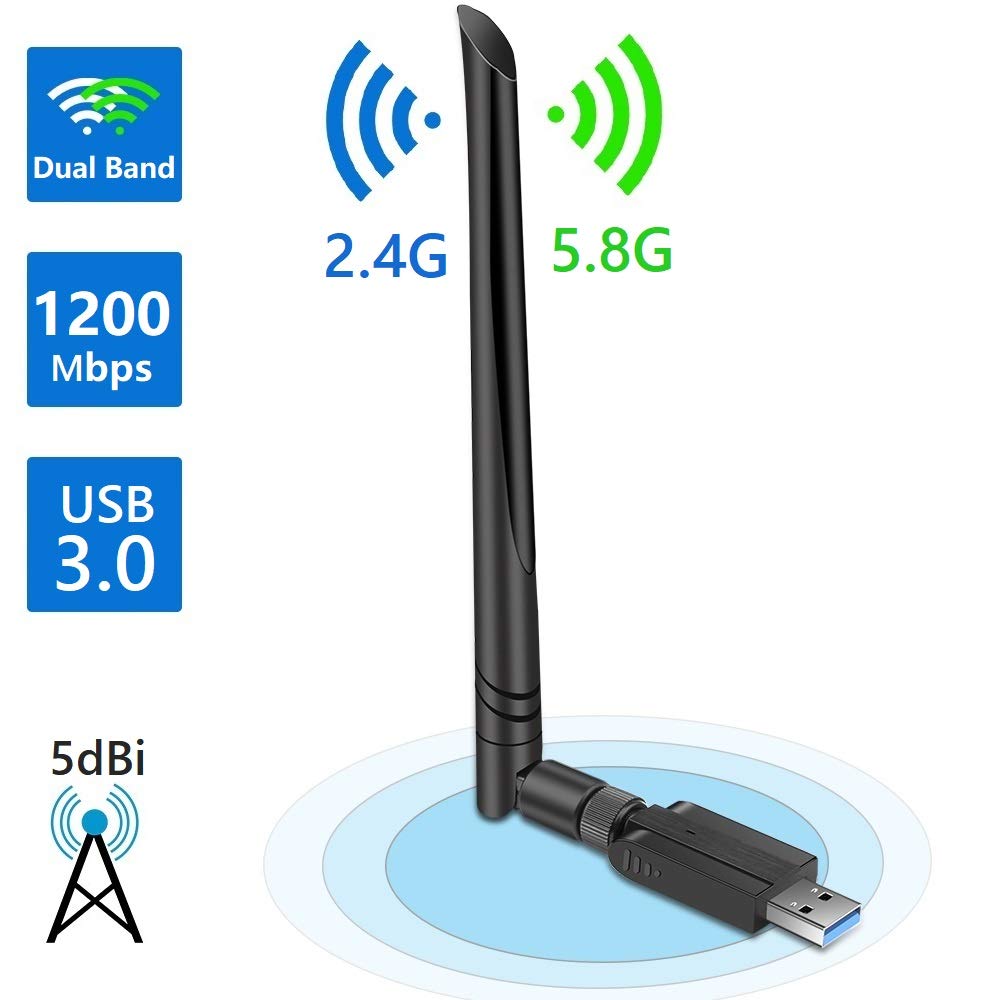
Device used (graphic below, for reference):
https://www.amazon.com/gp/product/B07JQMNT8K/ref=oh_aui_detailpage_o01_s00?ie=UTF8&psc=1
All drivers can be found here: https://goo.gl/Wj8aQB
1. Windows 7 - the driver installed easily and the device was up and running quickly.
Result - After testing it out a bit I have found that this adapter is only slightly better than my original g or n internal cards. The ac band works fine, which I did not have prior, and it is a little faster. But, even when right next to the AP downloads are only 70mbps max. On the LAN only it gets much faster, of course.
2. Ubuntu 18.04 - the install was horrifying, based on supplied drivers.
There are drivers in the Ubuntu build, as well as on the disc (or online). But, getting the proper driver loaded*, running and then connected took some time.
Result - The speed results were mostly the same as described for Windows.
*in the end this driver package worked perfectly on Ubuntu 18.04 (both 2.4 & 5Ghz):
https://ubuntuforums.org/showthread.php?t=2394372
Run the following commands:
$ sudo apt-get update
$ sudo apt-get install build-essential git
$ git clone https://github.com/cilynx/rtl88x2BU_WiFi_linux_v5.2.4.4_25643.20171212_COEX20171012-5044.git
$ cd rtl88x2BU_WiFi_linux_v5.2.4.4_25643.20171212_COEX20171012-5044
$ VER=$(cat ./version)
$ sudo rsync -rvhP ./ /usr/src/rtl88x2bu-${VER}
$ sudo dkms add -m rtl88x2bu -v ${VER}
$ sudo dkms build -m rtl88x2bu -v ${VER}
$ sudo dkms install -m rtl88x2bu -v ${VER}
$ sudo modprobe 88x2bu
Check your work:
$ iwconfig
-- plug in adapter
$ ifconfig
-- turn off original adapter, assuming internal device (i.e. sudo ifconfig wlpxxx down)
-- setup new WiFi connection, setting device to the newly added one.
-- connect the newly created to your SSID
https://www.amazon.com/gp/product/B07JQMNT8K/ref=oh_aui_detailpage_o01_s00?ie=UTF8&psc=1
All drivers can be found here: https://goo.gl/Wj8aQB
1. Windows 7 - the driver installed easily and the device was up and running quickly.
Result - After testing it out a bit I have found that this adapter is only slightly better than my original g or n internal cards. The ac band works fine, which I did not have prior, and it is a little faster. But, even when right next to the AP downloads are only 70mbps max. On the LAN only it gets much faster, of course.
2. Ubuntu 18.04 - the install was horrifying, based on supplied drivers.
There are drivers in the Ubuntu build, as well as on the disc (or online). But, getting the proper driver loaded*, running and then connected took some time.
Result - The speed results were mostly the same as described for Windows.
*in the end this driver package worked perfectly on Ubuntu 18.04 (both 2.4 & 5Ghz):
https://ubuntuforums.org/showthread.php?t=2394372
Run the following commands:
$ sudo apt-get update
$ sudo apt-get install build-essential git
$ git clone https://github.com/cilynx/rtl88x2BU_WiFi_linux_v5.2.4.4_25643.20171212_COEX20171012-5044.git
$ cd rtl88x2BU_WiFi_linux_v5.2.4.4_25643.20171212_COEX20171012-5044
$ VER=$(cat ./version)
$ sudo rsync -rvhP ./ /usr/src/rtl88x2bu-${VER}
$ sudo dkms add -m rtl88x2bu -v ${VER}
$ sudo dkms build -m rtl88x2bu -v ${VER}
$ sudo dkms install -m rtl88x2bu -v ${VER}
$ sudo modprobe 88x2bu
Check your work:
$ iwconfig
-- plug in adapter
$ ifconfig
-- turn off original adapter, assuming internal device (i.e. sudo ifconfig wlpxxx down)
-- setup new WiFi connection, setting device to the newly added one.
-- connect the newly created to your SSID
3. MAC - install from cd worked.
Comments
Post a Comment